Proton Lumo Desktop is Now Available
- Paul Thurrott
- Nov 17, 2026
-
3
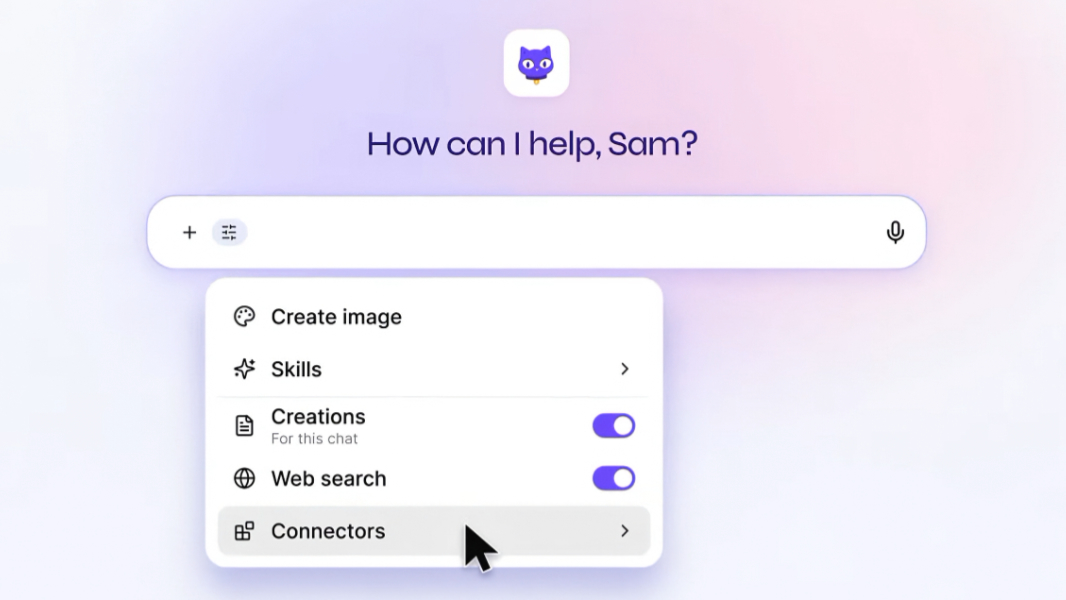
Proton has released Lumo Desktop for Windows, Mac, and Linux with new Connectors, Schedules, and Skills capabilities.
“We’ve committed to giving our community greater transparency into how AI is used at Proton, including sharing the tools we build and use internally so anyone can inspect them,” Proton’s Eamonn Maguire writes. “Today, we’re taking the first step by releasing Lumo Desktop on Windows, macOS, and Linux, and introducing Connectors, Schedules, and Skills. As always, we’re making the source code publicly available so our community can inspect how these tools work.”
Proton Desktop adheres to Proton’s strict privacy and security requirements while giving users the ability to connect the AI to your email and personal files and schedule tasks. It doesn’t use your chats or information from connected apps and files to train AI models, and its zero-access encryption ensures that no one else, including Proton or the United States government, can read your chat history or see your data.
Lumo Desktop uses Connectors to access the file system, execute shell commands, use local tools and connect with Proton Mail and third-party services like Google Drive, Jira, and Confluence. You can also use local and remote Model Context Protocol (MCP) servers.
The new Schedules feature helps Lumo Desktop execute tasks at specific times and automate them for repeated use. You can set up scheduled tasks in chat using natural language or manually, and in each case configure permissions specific to that task.
And Skills works much like the similar feature in other AI assistants by remembering instructions that can be reused across multiple chats.
“Create a writing Skill so emails sound like you,” Proton explains. “Add your resume and career goals to help tailor job applications. Or save your dietary preferences to guide meal plans. You can add templates and reference files so Lumo has the context it needs.”
Lumo Desktop will apply Skills automatically in chats, and you can create Skills by writing them manually, asking Lumo for help doing so, or by uploading a Skill you created elsewhere.
Proton subscribers can download Lumo Desktop for Windows, Mac, and Linux from the Proton website. And Proton hints that some of its unique features, like Connectors and Schedules, could come to Lumo mobile in the future.