Google Pixel 10a Review
- Paul Thurrott
- Mar 25, 2026
-
12
The Google Pixel 10a is a delightful and affordable smartphone that will meet the needs of most people. But there are, of course, some compromises, like the absence of Pixelsnap magnetic wireless charging, that are understandable but disappointing.
Design
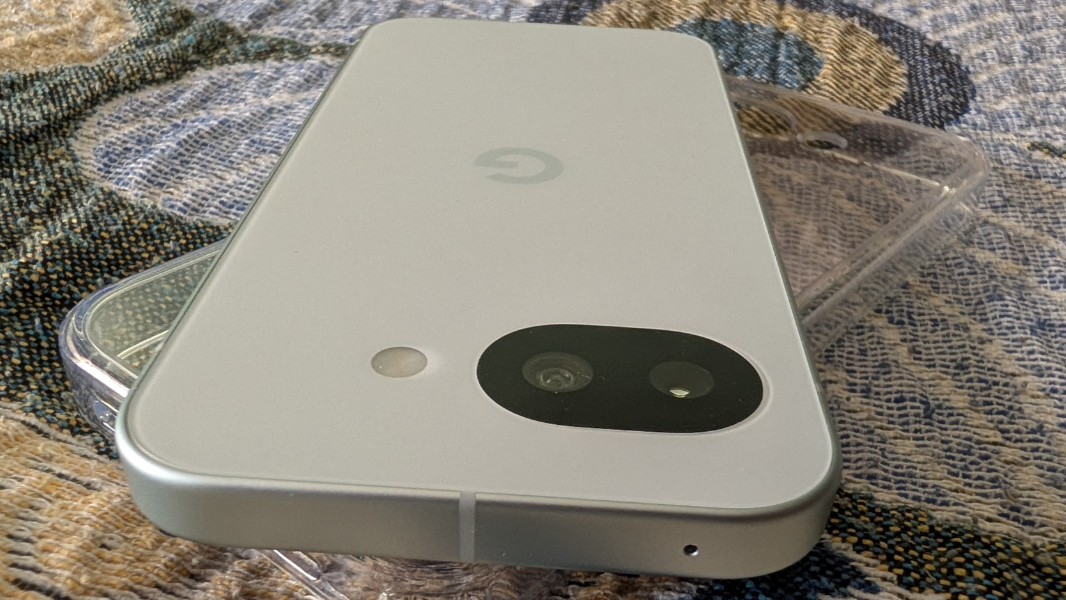
First impressions matter, and the Pixel 10a nails the out of box experience: I love the premium look and feel of this phone and its unique flat design with no camera bump or other protrusions. I also love that Google provides customers with some fun color choices: In addition to Obsidian (black), those who want to express their style more can pick from Lavender (a light purple), Berry (red/pink), and Fog (a light green/gray).
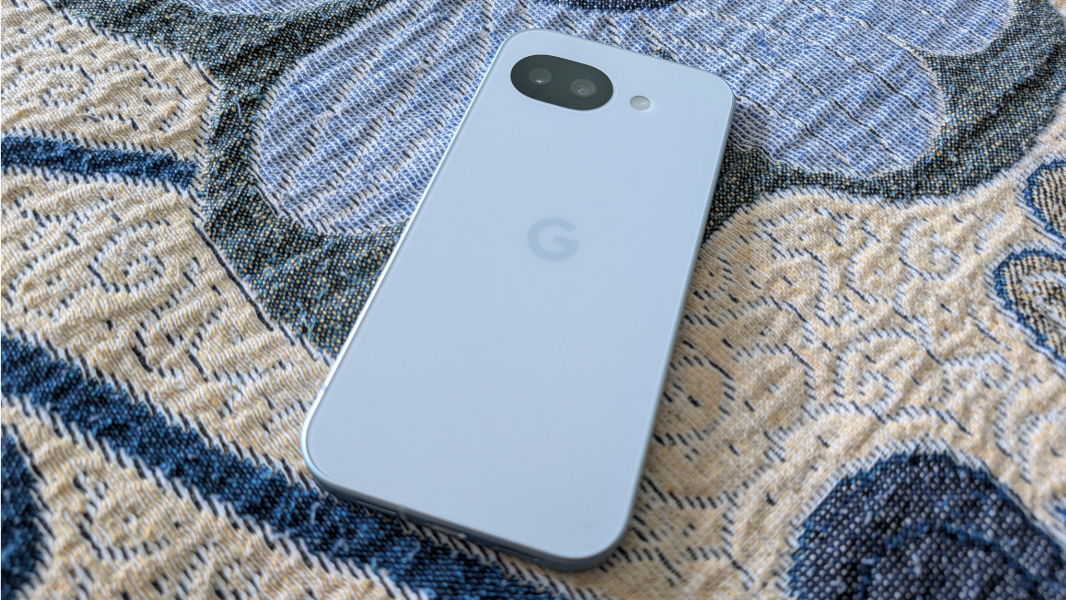
The Pixel 10a frame is aluminum and it has a satiny smoothness that matches the device’s curved corners. It’s covered by a fingerprint-resistant coating that works well. I wish more expensive smartphones did that.
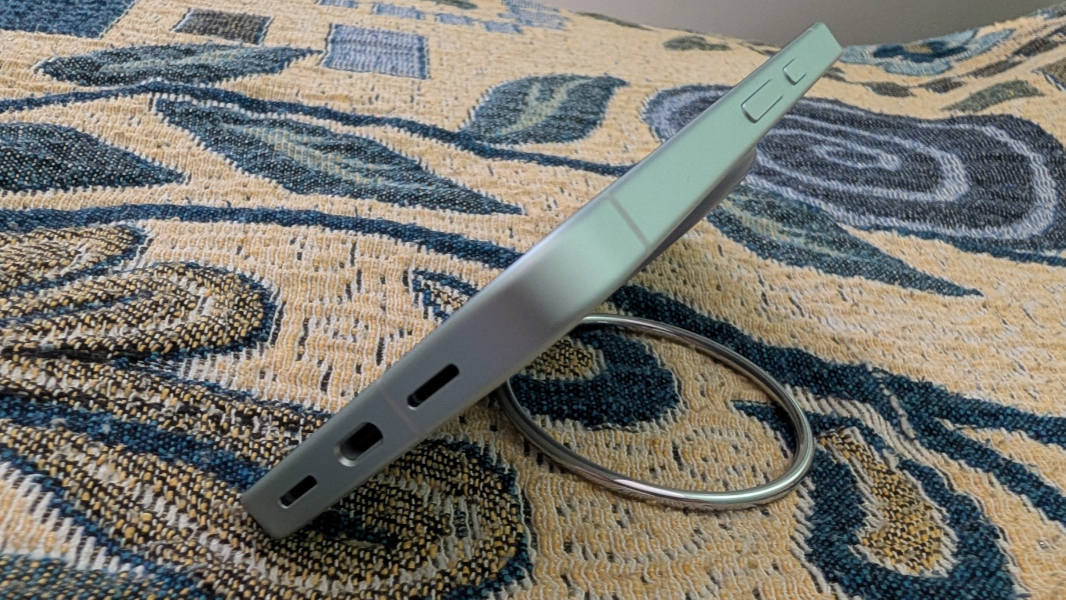
The back is an even smoother matte composite material that, on my Fog-colored review unit, is a much lighter color than the surrounding frame. When I started using the Pixel 10a, I was vaguely disappointed that it was so light colored, making the hue difficult to discern. But it depends on the lighting, doesn’t photograph accurately, and I like it quite a bit overall.
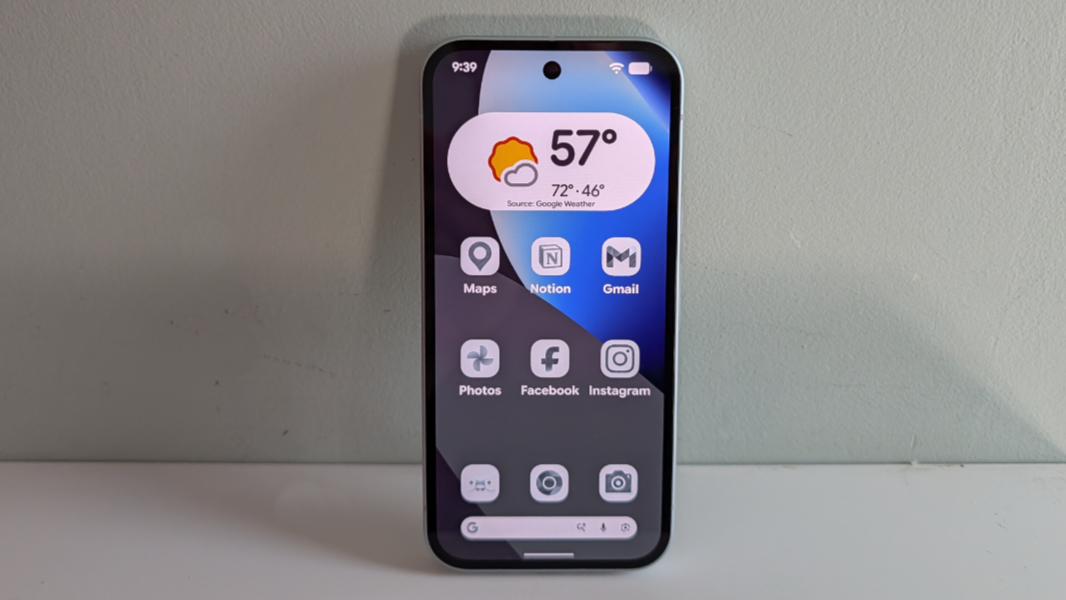
My only design gripe is minor and based on my personal needs: I wish it were a bit bigger, or that there was a model with a larger display. Like many getting older, my eyesight isn’t perfect, so I’ve been experimenting with different display configurations to help. And while the home screen layout I came to (as seen in various photos here) might charitably be described as child-like, it’s growing on me.
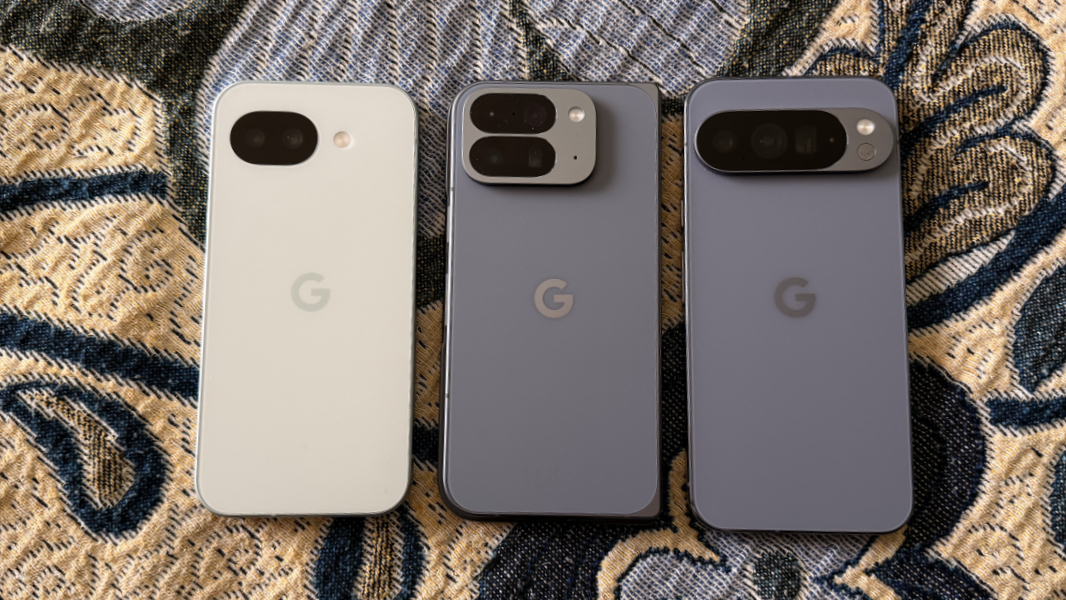
Put another way, the Pixel 10a is just a bit bigger than the Pixel 10 at 6.1 x 2.9 x 0.4 inches, but it weighs less at just 6.4 ounces. I suspect many will find this to be right-sized, and it does slip in and out of my front pocket easily.
Display
Like the more expensive Pixel 10, The Pixel 10a delivers a 6.3-inch Actua display panel with a resolution of 1080 x 2424 (422 PPI) and a 20:9 aspect ratio. While they are mostly identical, the displays differ in two ways. The Pixel 10a uses what’s called a pOLED panel instead of a normal OLED panel; this technology uses a plastic substrate that lowers the weight and makes the panel more durable. And the Pixel 10a uses a Corning Gorilla Glass 7i cover glass that I assume is less expensive than the Gorilla Glass Victus 2 on the Pixel 10 (and Pro and Pro XL).
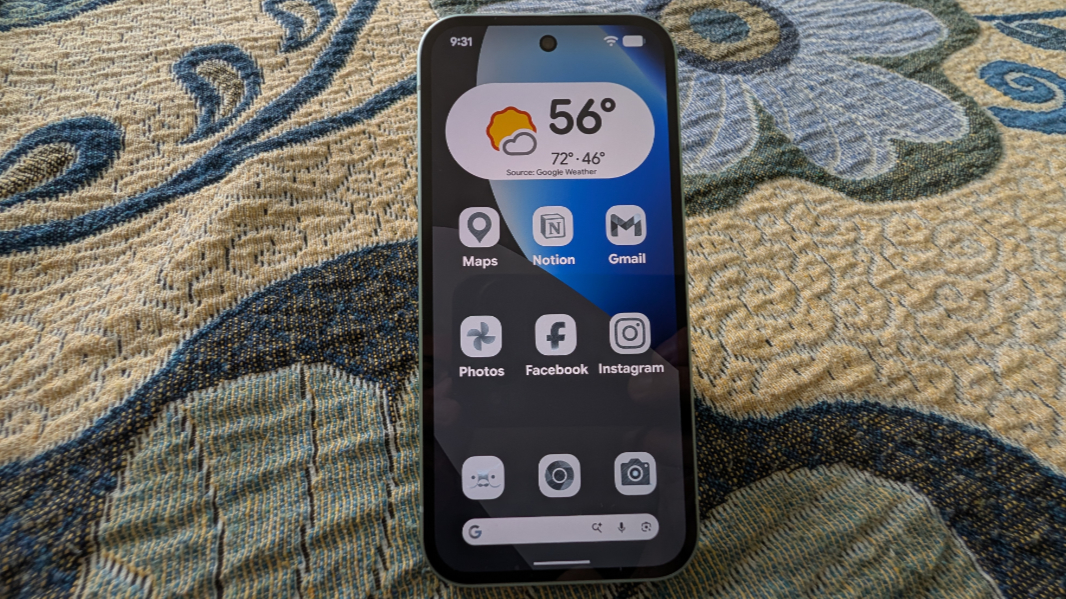
Aside from those two details, the Pixel 10a display matches that on the Pixel 10 with a 60 to 120 Hz variable refresh rate (VRR) and 24-bit color and HDR support, and it emits up to 2000 nits of brightness for HDR content with a peak brightness of 3000 nits. That’s brighter than my iPhone 17 Pro Max, though I can’t see any difference side-by-side.
Aside from the size issue alluded to above, the display is terrific and it doesn’t exhibit any of the adaptive brightness issues I had with previous-generation Pixels. It works well for productivity and entertainment, and I’ve enabled the VRR capability, though I can’t admit to seeing much of a difference; faster refresh rates either matter to your eyes or they don’t.
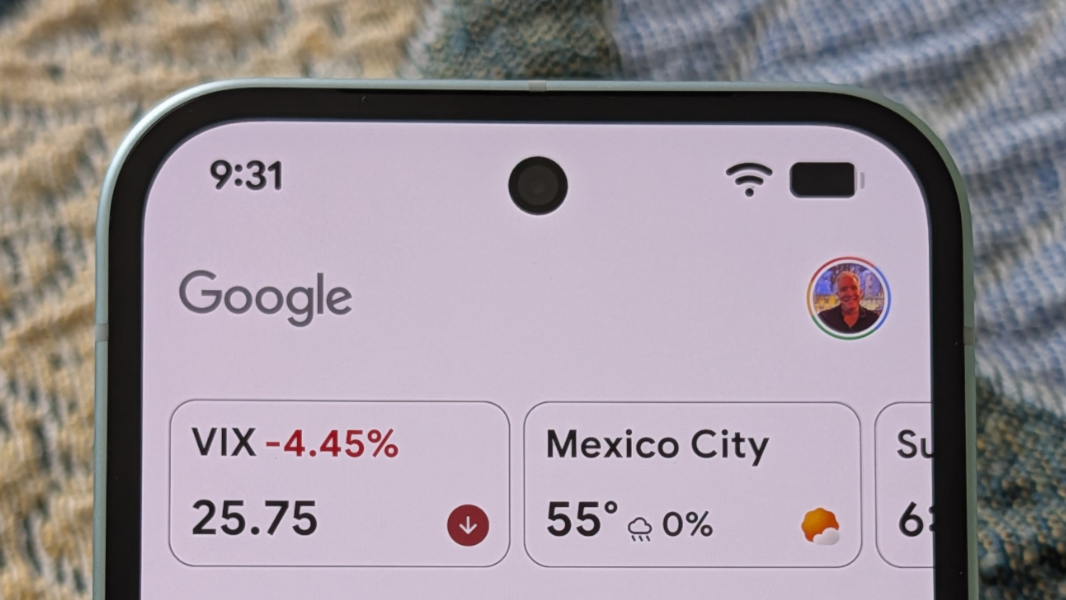
In a nod to its price class, the Pixel 10a’s bezels are a bit on the chunky side, with a roughly 84 percent screen-to-body ratio; by comparison, the Pixel 10 Pro XL I also have here in Mexico has smaller bezels with an 88 percent screen-to-body ratio. It’s subtle, to be sure, and most people only have a single phone, so they would not notice this.
Hardware and specs
Tied to the above point, Google had to make some compromises in the bill of materials that comprises the Pixel 10a. And some of the biggest cuts come from the inside, with Google giving the Pixel 10a a previous-generation Tensor G4 processor, just 8 GB of RAM, and 128 or 256 GB of an unspecified type of UFS storage. By comparison, the other Pixel 10 series devices all come with a Tensor G5 processor and 12 or 16 GB of RAM; you also get faster zoned UFS storage on the Pro devices when you configure them with 512 GB or more of storage.
The good news? In real-world use, the performance of the Pixel 10a is similar to that of other Pixel 10 series phones. Yes, its lower RAM and storage limits prevent the phone from providing some features–Pixel Screenshots and Magic Cue–that require on-device AI. But those aren’t big losses from my perspective, given that I never use the former and the latter rarely presents itself anyway.
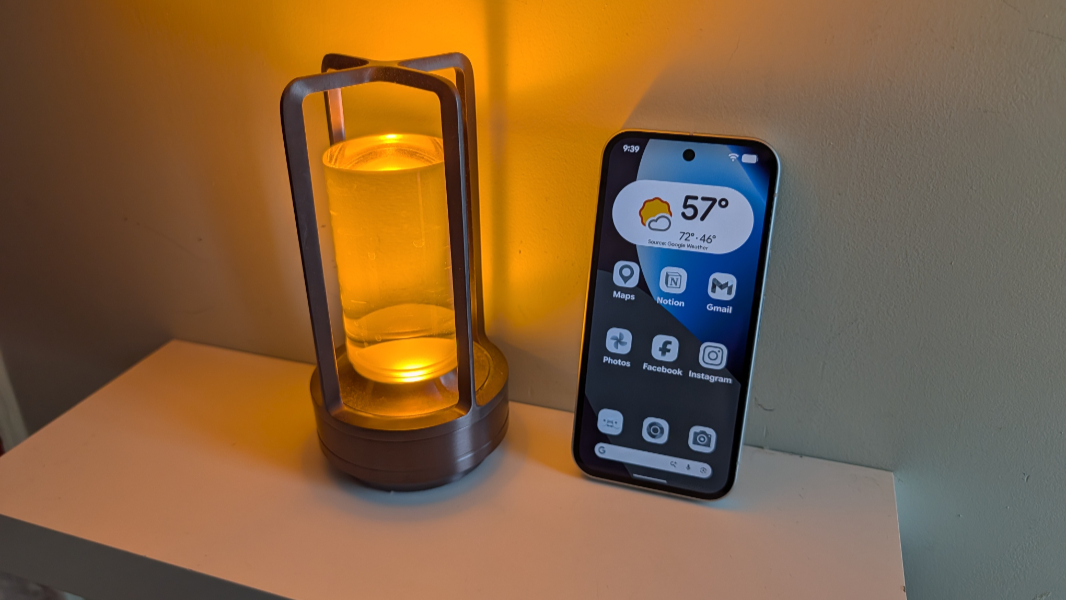
The issue, obviously, is the future. 8 GB of RAM limits which on-device Gemini and AI features you can use today, but what will this look like in the future? The Tensor G5 in other Pixel 10 series devices at least has some performance and efficiency improvements over its predecessor. But Pixel 10a users are stuck in the past from the moment they turn the device on the first time.
It’s reasonable to expect a budget smartphone like the Pixel 10a to perform less well than a flagship, I suppose. But in addition to the RAM, the base storage might also prove problematic over time, especially for those who install many apps or take many photos.
I didn’t notice any undue heat while using the Pixel 10a, but I didn’t push it hard with games or other resource intensive activities. Instead, I stuck to the basics: Web browsing, email, social media, taking and editing photos, and so on. By and large, it worked well across the board, but it has the same performance issues in Duolingo that I noted in my Pixel 10 Pro 10 Fold review. And photo processing is notably slow compared to my other phones, though you have to switch from the camera viewfinder to the camera roll to even see that.
Connectivity
Despite its budget pricing, the Pixel 10a provides surprisingly modern connectivity capabilities, with global 5G (including Sub 6 GHz)/4G LTE coverage using both nano-SIM and eSIM capabilities, Wi-Fi 6E 2×2 MIMO, Bluetooth 6 (with “antenna diversity for enhanced quality connections”), and NFC. I’ve not used the physical nano-SIM slot because it’s 2026, and I only used a data eSIM with the review unit. But I’ve had no connectivity issues here in Mexico, and Google Wallet has worked consistently well for tap-to-pay transactions.
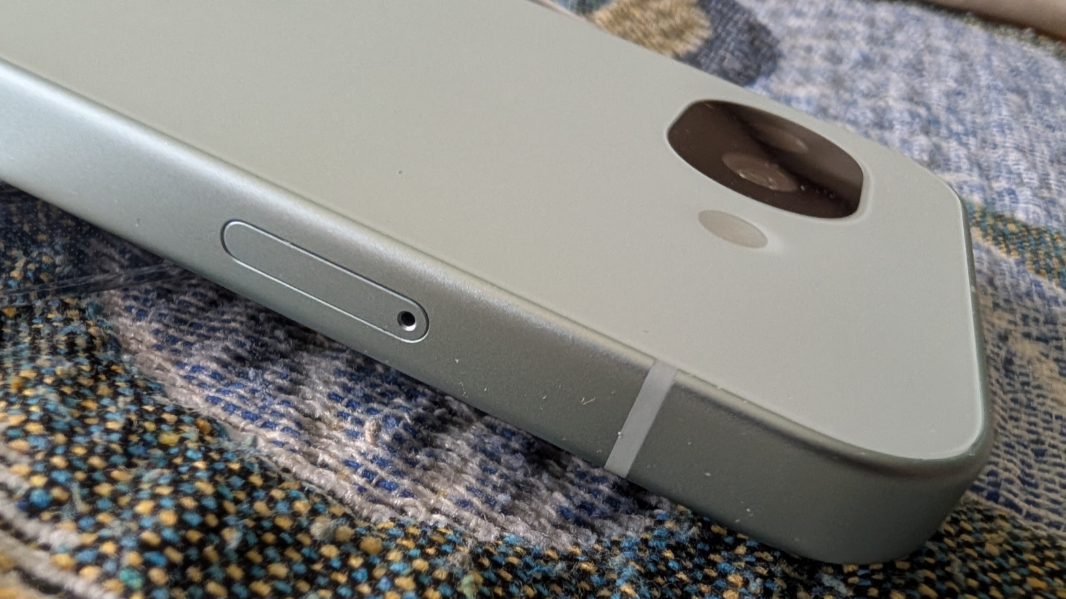
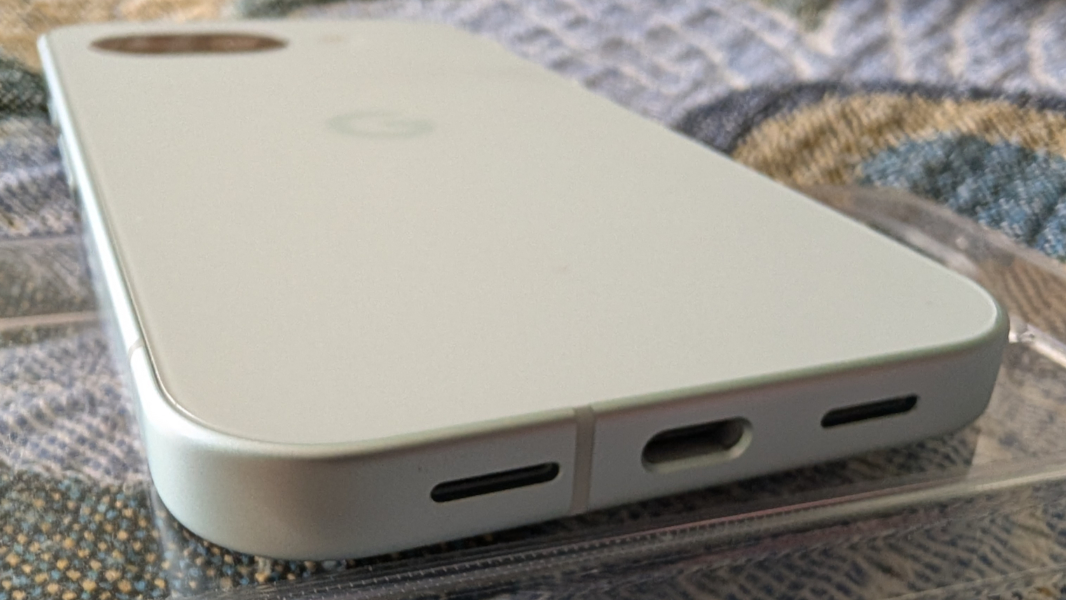
The Pixel 10a also provides a USB 3.2 Type-C port for power, data transfer, and external display support. But Google only provides a USB 2.0 Type-C cable (and no charger brick) in the box.
Audio-video
Like its predecessor, the Pixel 10a provides stereo speakers, with one speaker on the bottom of the device and the other doing double duty as the earpiece during phone calls. But the Pixel 10a also provides noise suppression capabilities like other Pixel 10 series devices that should minimize background sounds during those calls. I don’t have an older Pixel to compare, unfortunately.
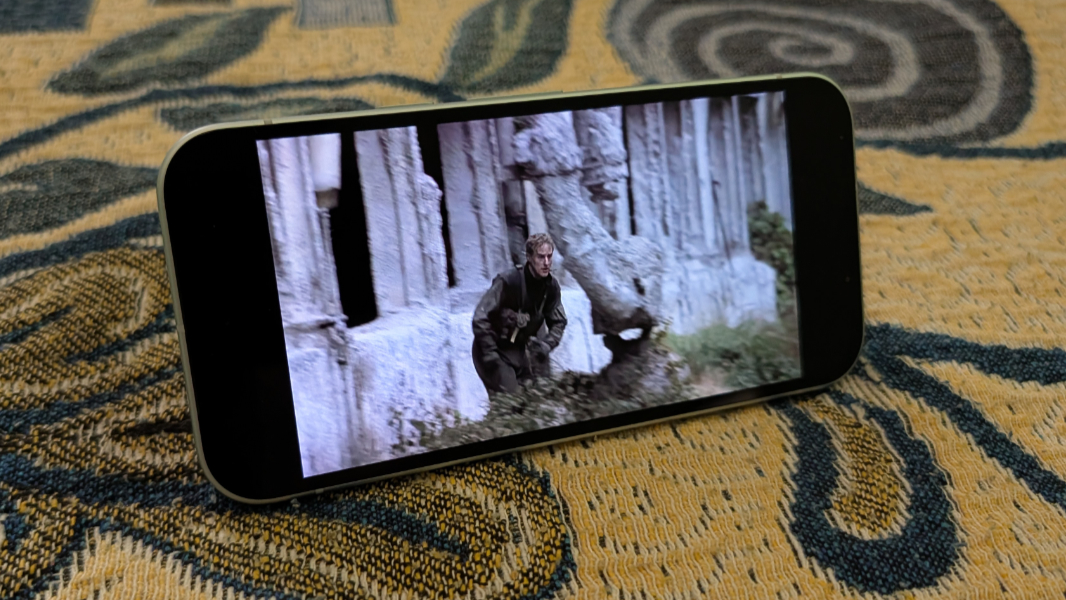
I can’t imagine that too many will watch full-length feature films on the Pixel 10a, but the experience is surprisingly solid. The audio is nicely balanced, with little or no bias to the bottom/right speaker, which is typical. And depending on the app, you can zoom the video display to fill the screen, with the camera hole cutout usually disappearing unless you’re really looking for it.
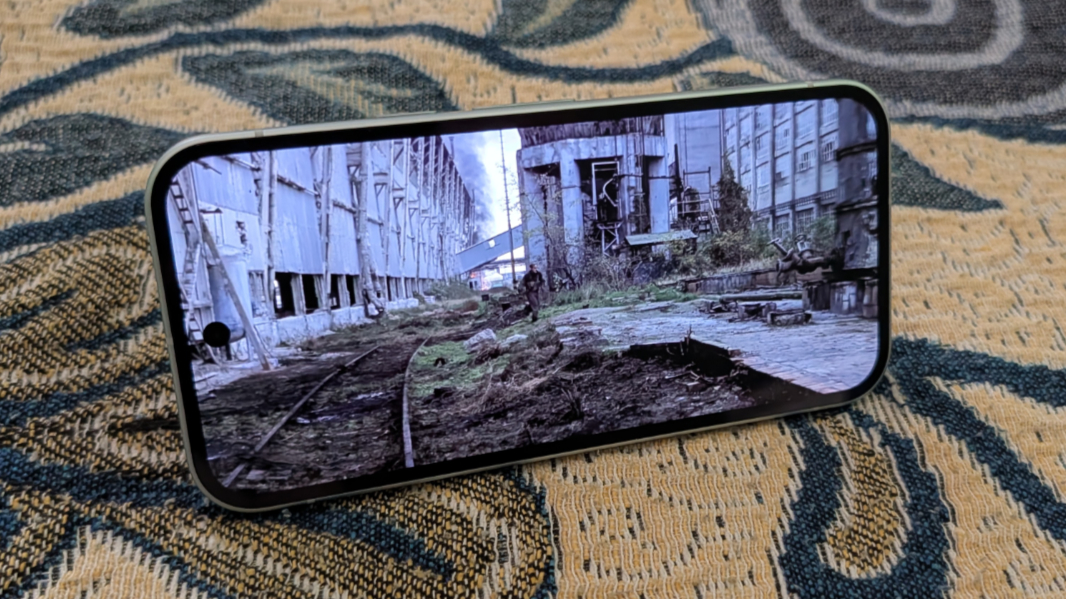
Music and audio (podcasts, audiobooks, etc.) work similarly well, though you get a bit of echo at higher volume levels. You can’t fill a room with sound, but maybe that’s for the best.
Cameras
As the new entry level Google phone, the Pixel 10a provides the most basic camera hardware in the lineup, with a two-lens rear camera system on the back and a single selfie lens on the front. No one shopping in this price range is making year-over-year upgrades, but it’s worth pointing out how little has changed since the Pixel 9a: The camera systems are, from a hardware perspective, basically identical.
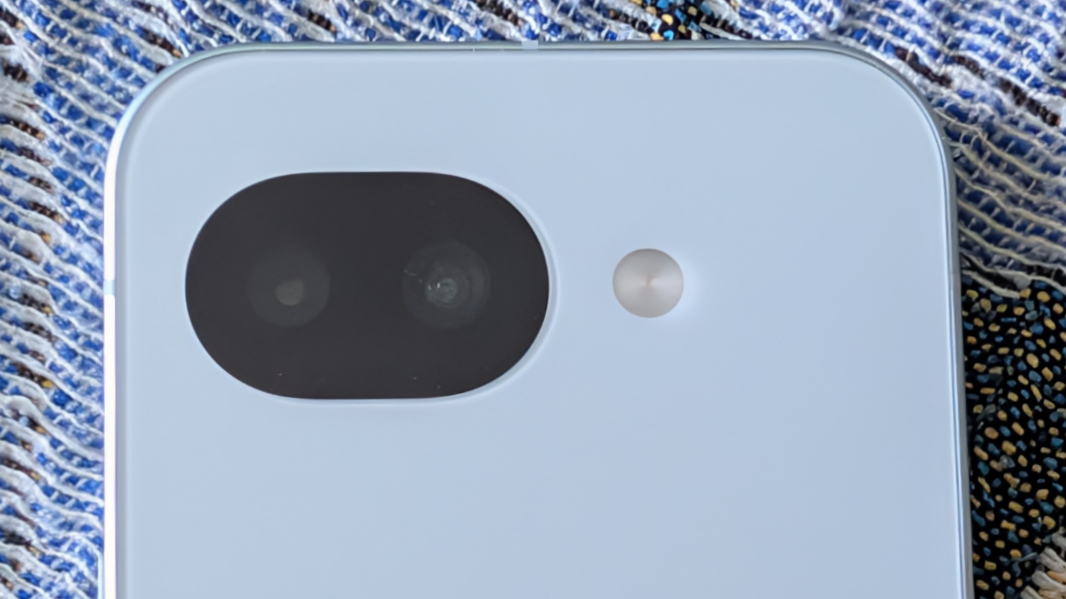
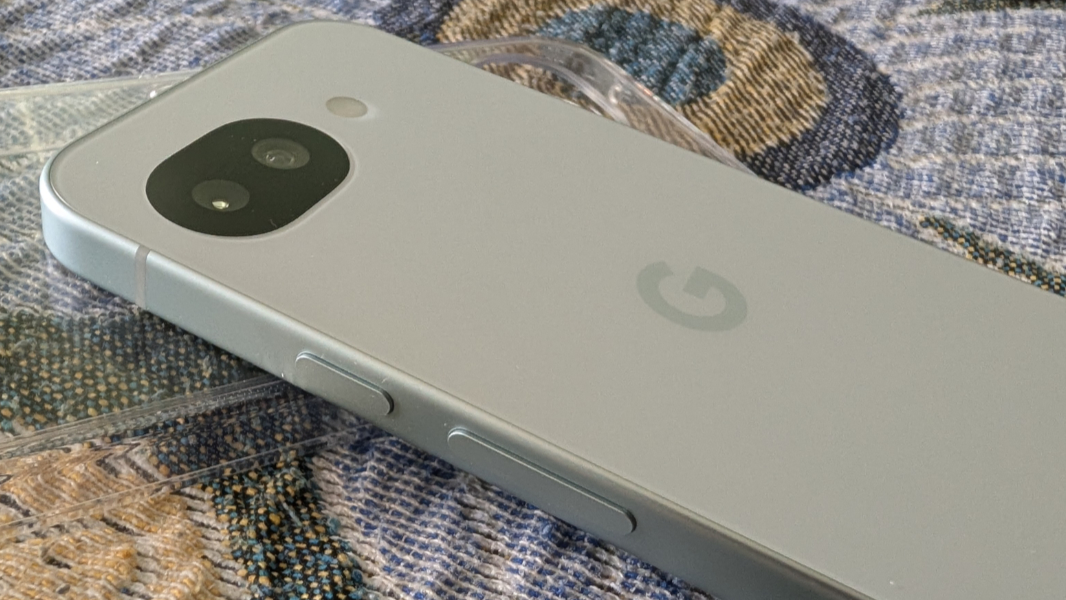
But there are some minor improvements. The Pixel 10a rear cameras are flush with the back of the device, which is unique in this era of camera bumps, bars, and plateaus, and is a nice look. And the Pixel 10a supports some camera software advances like Camera Coach, Macro Focus, and Auto Best Take, that the Pixel 9a does not. (Note that this might change in time.)
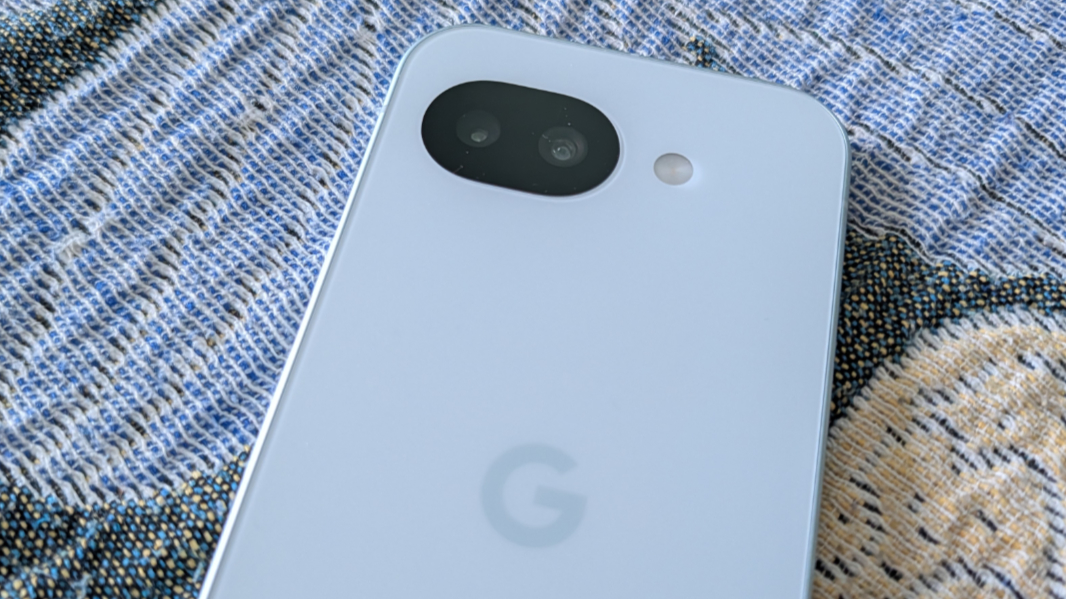
On the rear, you get a main (wide) lens and an ultrawide lens, so there’s no telephoto lens as with other Pixel 10 series phones and no optical zoom above 1x. Instead, you’re limited to 8x Super Res Zoom (digital zoom). Which isn’t much of a limit, frankly. Regardless of the zoom level I used, the quality was consistently very good to excellent, with the weakest results at full (8x) digital zoom.
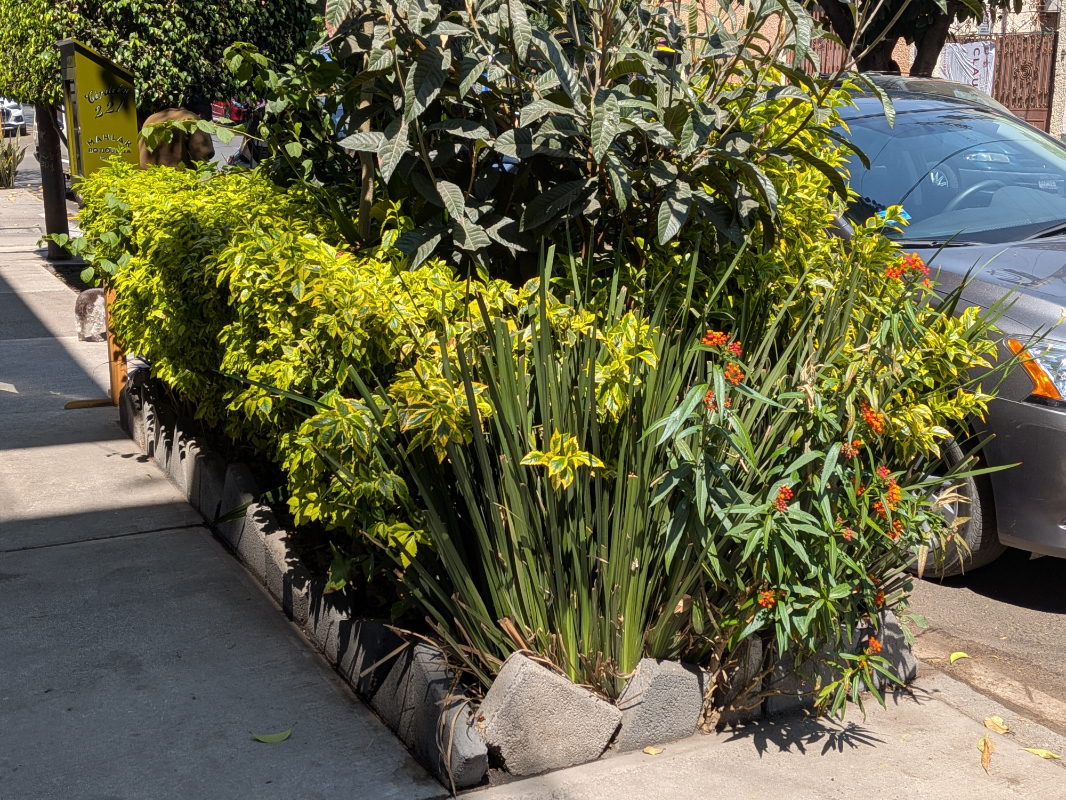
The main lens is a modern 48 MP Quad PD (phase detection) dual pixel wide lens with an f/1.7 aperture and an 82-degree field of view (FOV). This is the better of the two rear lens, and obviously so, but you are limited to 12 MP binned photos.

The ultrawide lens provides just 13 MP of resolution with an f/2.2 aperture and a wide 120-degree FOV. But it’s not just a lower resolution, it’s a much smaller sensor than that found on the main lens–about one-third of an inch vs. one-half–and so the resulting quality is lower too.
What we’re looking at here is a non-Pro version of the Camera app with none of the advanced features offered by the Pixel 10 Pro, 10 Pro XL, and, to some degree, 10 Pro Fold. You can toggle RAW file support on if desired, but I can’t imagine any Pixel 10a users doing that given the storage requirements. And the shots you take, regardless of the lens or zoom level, will always be at 12 MP (4000 x 3000 pixels) but at different quality/file sizes, depending. You’re not shooting 24 or 48 MP shots, even with the main lens. To be clear, this isn’t a problem for the target audience, but those with higher-end needs will want to look elsewhere.





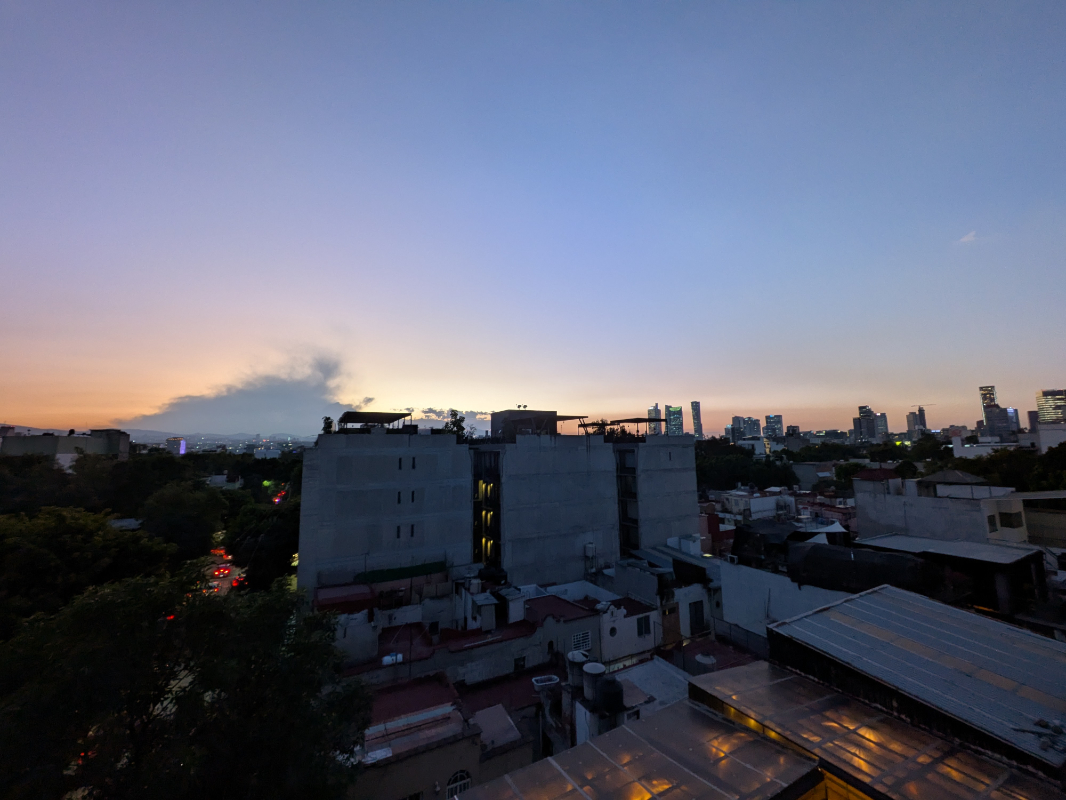
Here’s the thing. Like most people, and certainly like those who might want a Pixel 10a, I take snapshots. And this phone is ideal for that, with consistent, high-quality shots regardless of the lighting conditions or zoom level. I’ve taken photos in broad daylight, in dimly lit rooms, outside at night, and wherever else, and the Pixel 10a really does deliver. The hardware may feel a bit dated, but this is something Google always delivers with Pixel.

Thanks to its onboard Gemini Nano AI model, the Pixel 10a supports most of the computational photography features of more expensive Pixels and it delivers that automatic Pixel quality that fans expect. This includes such things as Night Sight, Macro Focus, Portrait Mode, Astrophotography, Real Tone, Auto Best Take, Top Shot, and a lot more when taking photos, plus all the expected editing features for after the fact, like Resize and Move Objects, Magic Eraser, Photo Unblur, Portrait Light, and the rest.

The Pixel 10a’s video taking capabilities are likewise decent for the price range, with support for 4K and 1080p at 30/60 FPS, digital zoom to 5x, and AI-based enhancements like speech enhancement, noise reduction, and various video stabilization techniques. As always, I struggle to take a lot of video, and I apologize for not making many advances in that regard.

I also don’t take many selfies. But the front-facing selfie camera is a step up, at least in resolution, from those in the Pixel 10 (10.5 MP) and Pixel 10 Pro Fold (10 MP). It’s also identical to that on the Pixel 9a, a 13 MP ultrawide lens with an f/2.2 aperture and a 96.1-degree FOV. But it lacks the dual PD capabilities of the selfie camera on the Pixel 10 and 10 Pro Fold, so the resulting shots are similar.

So what’s missing? There are a few Pixel-exclusive features that Google can’t add to the Pixel 10a because of the limitations of the hardware. There’s no Auto unblur for photos, for example, or Action Pan video capabilities. Having never used either beyond some testing with other Pixel 10-series phones, I can’t say they’re missed.

Overall, the Pixel 10a impresses from a camera and photography perspective. If you spend more on a Pixel 10 or Pro-based Pixel, you’ll get more, of course. But this is a solid experience.
Security
The Pixel 10a provides the same security features as its more expensive siblings, with its Titan M2 security processor and face and fingerprint unlock capabilities. I set up both unlock features and never had any problems, though the fingerprint reader is more reliable in that it doesn’t require a well-lit environment. You can also unlock the phone a bit more automatically if you have a Pixel Watch, but my wife is using mine because her Fitbit died.
Google also offers a useful theft detection feature that will lock the device if it detects that some one took it from you and ran away. This isn’t enabled by default, but I did so. And the Pixel 10a gets Satellite SOS (in the U.S.) for free for two years, car crash detection, Safety Check, Crisis Alerts, and, in most places, Emergency SOS.
Battery
The Pixel 10a provides a 5100 mAh battery, a bit bigger than the 4970 mAh battery in the more expensive Pixel 10, and Google says it delivers 25 percent better uptime than its more expensive sibling. I don’t have a Pixel 10 here to compare the two, but the Pixel 10a is good for at least a full day of normal use, and more if you just use it sparingly.
Unfortunately, it lacks the fast charging and magnetic Qi2.2/Pixelsnap capabilities of all other Pixel 10 series phones, and that’s a bummer. You can’t even add that through a Google case, which is too bad. Pixelsnap emerged as a key advantage of the other Pixel 10 series phones, and Apple added its equivalent, MagSafe, to the iPhone 17e. I feel like this needs to be a base capability across the board.
What you do get is 10-watt Qi wireless charging with none of the benefits of magnetic Pixelsnap (MagSafe) connectivity and, when paired with a compatible 45-watt PPS wired charger (which is not included), fast charging from to 50 percent in about 30 minutes. You know, assuming you’re starting in the 0 to 20 percent range. As with all phones, charging slows as the battery gets fuller and the device heats up.
Unique hardware features
The Pixel 10a is pretty standard when it comes to overall hardware features, but it does offer IP68 dust and water resistance like more expensive smartphones.
Software
The Pixel Android software image with its deep Gemini integration is a key reason to consider any Pixel, and the Pixel 10a doesn’t disappoint in this regard. Aside from a few more advanced features like Magic Cue that are missing because of RAM or processor limitations as noted elsewhere, the Pixel 10a delivers an incredible range of Pixel exclusive features.
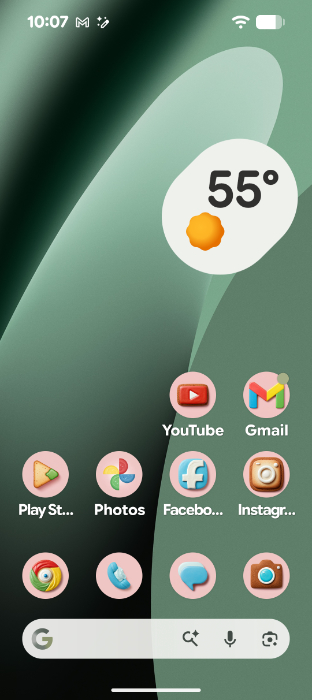
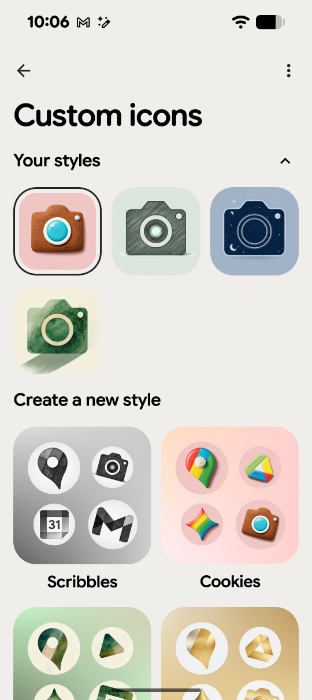
Just listing them all is tedious, but thanks to its onboard Gemini Nano model and cloud-based Gemini integration, you get Gemini with Gemini Live, Circle to Search, Live Translate, and Call Assist. There are accessibility features like system-wide Live Caption, Live Transcribe, Reading Mode, Guided Frame (in the Camera app), Magnifier, and more. And then all the helpful features that Pixel users love and expect, like Scam Detection call and message spam removal that puts Apple to shame, a suite of calling related features like Call Assist, Hold For Me, Direct My Call, and Call Notes, Now Playing music detection, the new themepack and AI-made custom icons for the Home screen, all the camera features noted previously, and so much more.
As with other Pixels, Google will support the Pixel 10a for 7 years with new features and security updates. That’s a longer time than most people will own this phone.
Pricing and availability
The Pixel 10a is available in four colors–Lavender (a light purple), Berry (red/pink), Fog (a light green/gray), and Obsidian (black)–and just two storage tiers, 128 GB and 256 GB. Pricing starts at an affordable $499, with the 256 GB models costing $599. And the Pixel 10a comes with a one-year warranty, which is standard for smartphones.
While it’s tempting to compare the Pixel 10a to Apple’s iPhone 17e, I feel like most people who would consider this Pixel are shopping it against other Android-based phones, like those in the Samsung Galaxy A series, which undercut the Pixel 10a price, or even the Galaxy S25 FE, which starts at about $650.
My preference is for the Pixel, but those Samsung devices all provide three rear camera lenses, though only the S25 FE offers a (3x optical) telephoto lens. If a telephoto lens is a concern, wait for the base Pixel 10 to go on sale. (It’s on sale as I write this for $599 and up.)
Recommendations and conclusions
The Pixel 10a is an incredible value. It’s a delightful smartphone with an affordable price and all the useful Pixel features that fans expect. Yes, there are compromises, as one should expect at this price, the most painful–to me–being the lack of Pixelsnap/MagSafe magnetic connectivity for accessories and faster wireless charging. But the Pixel 10a also carries the A-series tradition forward by delivering on the essentials and, as important, those unique Pixel-only features. And like other Pixels, it takes consistently terrific photos with no effort on your part, despite the basic camera hardware. The Pixel 10a is highly recommended.
At-a-glance
Pros
✔️ Affordable
✔️ Excellent camera quality despite some hardware limitations
✔️ Truly useful Pixel software throughout
✔️ Gorgeous form factor
Cons
❌ No Pixelsnap/MagSafe, slower wireless charging
❌ Previous-generation components may impact the experience over time
❌ Base storage could be limiting depending on how you use the phone